iDigital...

When Exchange Server fails—corrupted EDB, lost mailboxes, or failed migration—iDigital recovers your email, calendar, and contacts. We work with Exchange 2019 down to 2003, repair damaged PST/OST, and migrate to Office 365 or live Exchange. Free evaluation and no-data-no-fee pricing. Louisiana’s enterprise data recovery lab.
Start Recovery
Find lost mailboxes in broken EDB files. Recovers mailboxes and their contents, even from severely damaged EDB files. Recovers mailboxes and their contents, even from severely damaged EDB files. With Mailbox Server Recovery, your mailbox folders will be restored in a tree structure.
retains Emails, even those that have been deleted, can be retrieved after a thorough scan. Retains the ability to repair damaged PST and OST files. It creates a new PST file or uses an existing one to store the items you've chosen. Exchange Server Versions Supported: (2019, 2016, 2013, 2010, 2003, and 2000)Change the Location of Mailboxes lines-icon With Exchange Recovery, it's easy to move the contents of your mailbox to another service, like Office 365, an Outlook profile, or Live Exchange. After deciding where to go, all you have to do is enter your credentials to complete the transfer. During the migration process, you can use filters like item type, date range, etc.
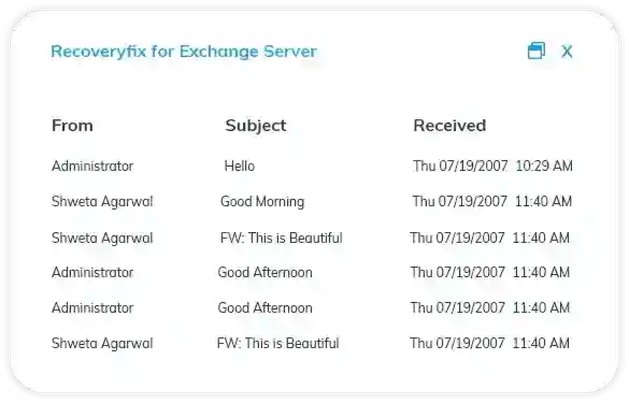
The data is migrated while maintaining its integrity and directory structure. The data is immediately accessible at the target after the migration. With simple migration tools like copy/paste and drag/drop,
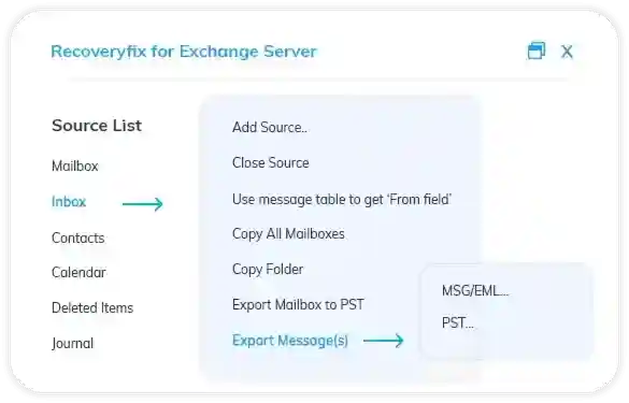
Lines-icon Export Items from Mailbox to a PST, MSG, or EML File Some items from the original mailbox folders can be exported from Exchange Server Recovery to PST, EML, or MSG. Create a PST, MSG, or EML copy of your Exchange EDB file. Metadata and properties are transferred entirely with the items in the mailbox. If the PST file gets too big, it will be damaged. Make a brand-new Unicode Personal Folder (PST) file Lines-icon Backup Restore from an Exchange Backup The Exchange Server Recovery program can get information from Exchange backups made by NT Backup, Symantec, VERITAS, HP, and CAARC Backup, among others. keeps a copy of the backup files in the specified directory. provides the option to save either the entire EDB, Log, or STM file. Shows all of the information about the backup that has been stored (name, path, type, size, date created, and modified)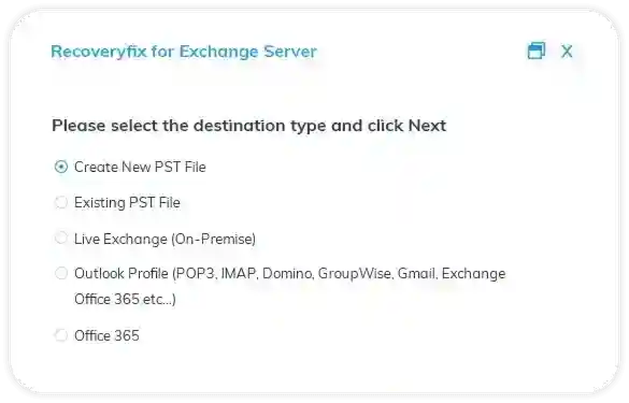
There are different ways to get data from an Exchange server, depending on the situation and the type of data. Several typical approaches include:
With Exchange Server's built-in backup and recovery features: The Exchange Management Console and the Exchange Toolbox are only two examples of the backup and recovery tools built into Exchange Server that may be used to make and restore copies of the server and its data.
Using a third-party backup solution: There are a variety of backup and recovery software options that may be used to back up and restore Exchange Server data.
A snapshot or backup can be used to get data back on an Exchange Server that has been virtualized. If you use the eDiscovery toolset that comes standard with Microsoft Windows, mailboxes and public folders can now be searched, archived, and exported using this function. Using the export feature of an Exchange Server mailbox, the data can be saved as a PST file. Remember that the optimal approach will change based on the nature of the lost data and the specifics of the situation. Talking to an Exchange Server expert or Microsoft Support is a good idea to make sure the recovery process is done correctly and the integrity of the data is maintained.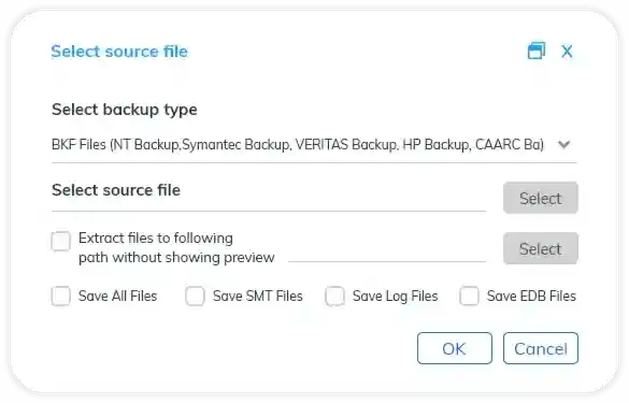
If you'd like to mail in your Product, please use the link below. Investing your dividend payment is risk-free. A brief form will be presented to you. A shipping label will be emailed to you once the form is submitted. As soon as we receive your gadget, we'll go to work on our complimentary examination and get back to you with a firm quote.
Contact iDigital Data Recovery ExpertData recovery and repair tips, exclusive offers, and updates from Louisiana’s trusted repair and recovery team.















































 Data
Recovery
Data
Recovery
 Repair
Service
Repair
Service
 Home Services